Skip to content

Plug & Play kits · Ready to install yourself

City Blocks

Geometric frames repeated across your space.

Kits from $5,000

Starting guide · Your layout is quoted individually.

City Blocks geometric light frames

Room render

Select your room size.

  • Small Studio

    20 × 50 ft

    Workout studio or lounge.

  • Neighborhood Venue

    40 × 50 ft

    Bar or dance studio.

  • Open Floor

    50 × 60 ft

    Boutique gym or club.

Bar length
Call us: 516.376.2309

Most Plug & Play kits land between $5,000 and $13,000, depending on room size and layout.
Questions? Call or text 516.376.2309.

Use custom dimensions

Clear gap; 2 ft is reserved at the room edges.

At a glance

Install difficulty
Moderate · Mount, connect and test
Install time
We’ll estimate hours for your layout.
Lead time
Build and delivery dates confirmed in your quote.
Warranty
Written warranty terms provided with your quote.
Tools
Measuring tape, level, drill and suitable access equipment.
Power
We’ll confirm the supply and circuit requirements.
Shipping & returns
Shipping quoted for your location. Review return terms before ordering.
Setup support
Call or text us during setup.

Use the mounting hardware specified for your surface. Have a qualified electrician assess any new circuits or changes to building wiring.

What’s included

Lights, controllers, computer + monitor, network, cabling and mounts. Prebuilt and tested before shipping.

Your City Blocks kit20 × 50 ft room
1 mQty 48
  • Computer & monitor

    Lighting software ready

  • Keyboard & mouse

    Control your scenes

  • Router & network

    Preconfigured for your kit

  • Controllers & power

    Matched to your lights

  • Cabling

    Cat 6 + female-to-male JST

  • Mounting hardware

    Snap & CTRL 90 v2 corner mounts

Illustrated kit contents. Hardware quantities and cable lengths are confirmed with your quote.

Room layout & wiring
City Blocks room layout: 12 shapes in 20 by 50 feetTop view. 2 across and 6 deep, with 4 feet between shapes. Each bar is 1 meters. Two feet of clearance is reserved at the edges.S01S02S03S04S05S06S07S08S09S10S11S1220 ft50 ft
Top view · each labeled shape is a separate fixture. Clear gap: 4 ft. Hardware and final cable routes are confirmed with your layout.

We’ll confirm this layout and the included hardware before quoting.

Install it yourself, or leave it to us.

Plug & Play kits

For a capable team ready to mount the lights and connect labeled runs.

Who installs
Your team, with Loomx setup support.
Timing
Build and shipping dates confirmed in your quote.
What you need
Tools, safe access and suitable power.
Budget guide
Most Plug & Play kits land between $5,000 and $13,000, depending on room size and layout.
White Glove installation

For projects where you want Loomx to handle setup and on-site coordination.

Who installs
The Loomx team.
Timing
Scheduled around your project and site access.
What you need
A ready site and agreed installation scope.
Pricing
Custom quoted with installation included in the scope.
Explore White Glove installation

Mounting & setup

Mount the lights
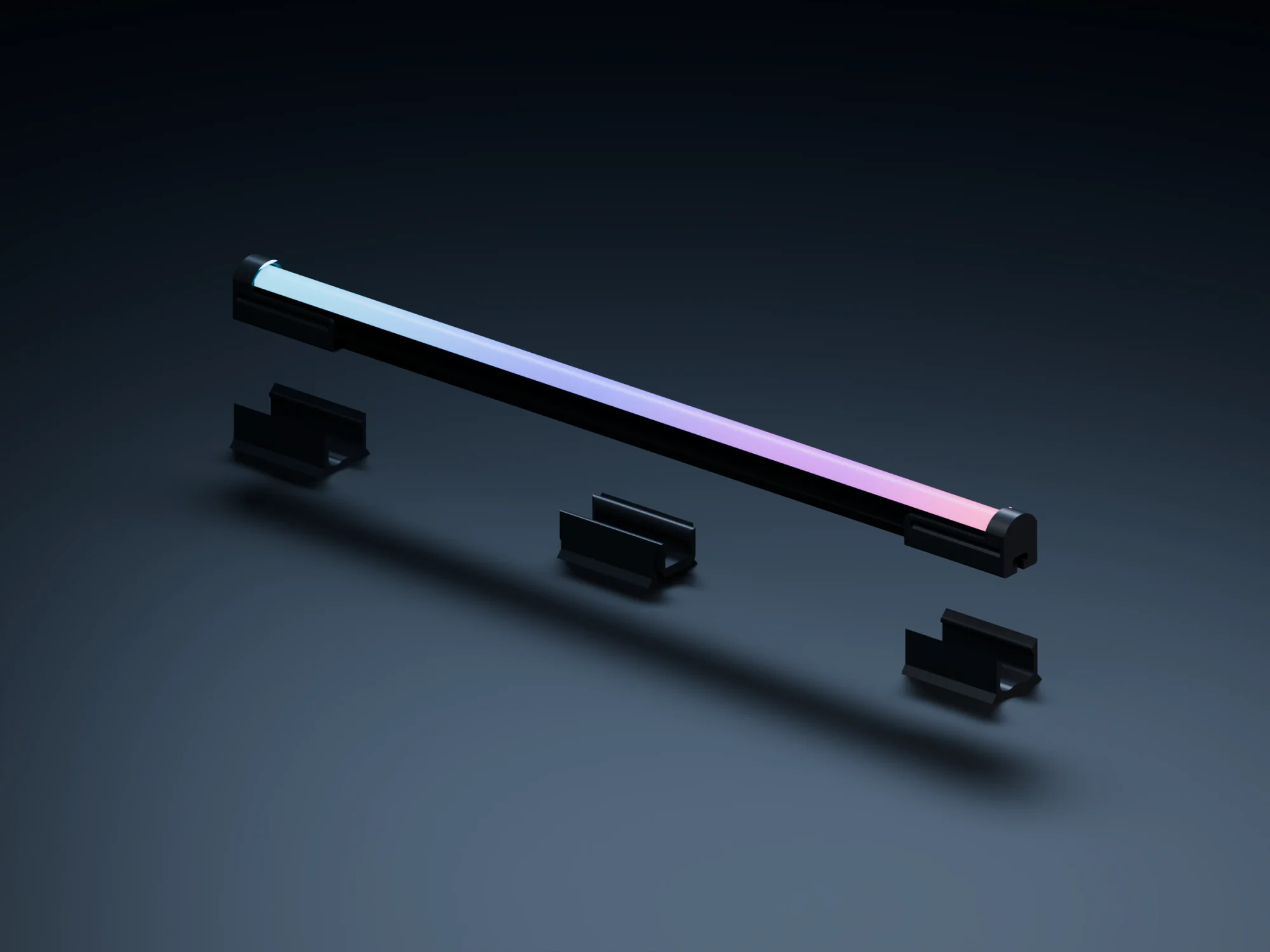
Original Loomx bar above its end-cap and mid-span snap baseplates
Your original Loomx snap mounting hardware.
  1. Mark your layout

    Match the shape and bar labels to your supplied plan. Check the ceiling or wall, cable routes and clearances before drilling. Use the mounting positions and fasteners specified for your surface.

  2. Fix the baseplates

    Each original surface baseplate has a central countersunk screw hole. Secure the plates with their snap openings facing the room. The end-cap mounts support the bar ends; the Snap-Mid-Mount supports the middle. Use every support shown in your kit’s mounting schedule.

  3. Snap the bars in

    Align the end caps and mid-mount with their baseplates, then press the assembled bar into the matching snap seats. Check that each seat is fully engaged before releasing the bar.

  4. Complete the pattern

    City Blocks uses the supplied CTRL 90 v2 corner mounts. Seat the two labeled capped ends in each corner’s perpendicular cradles. Keep the square’s four bars matched to the same shape label.

Using cable suspension?
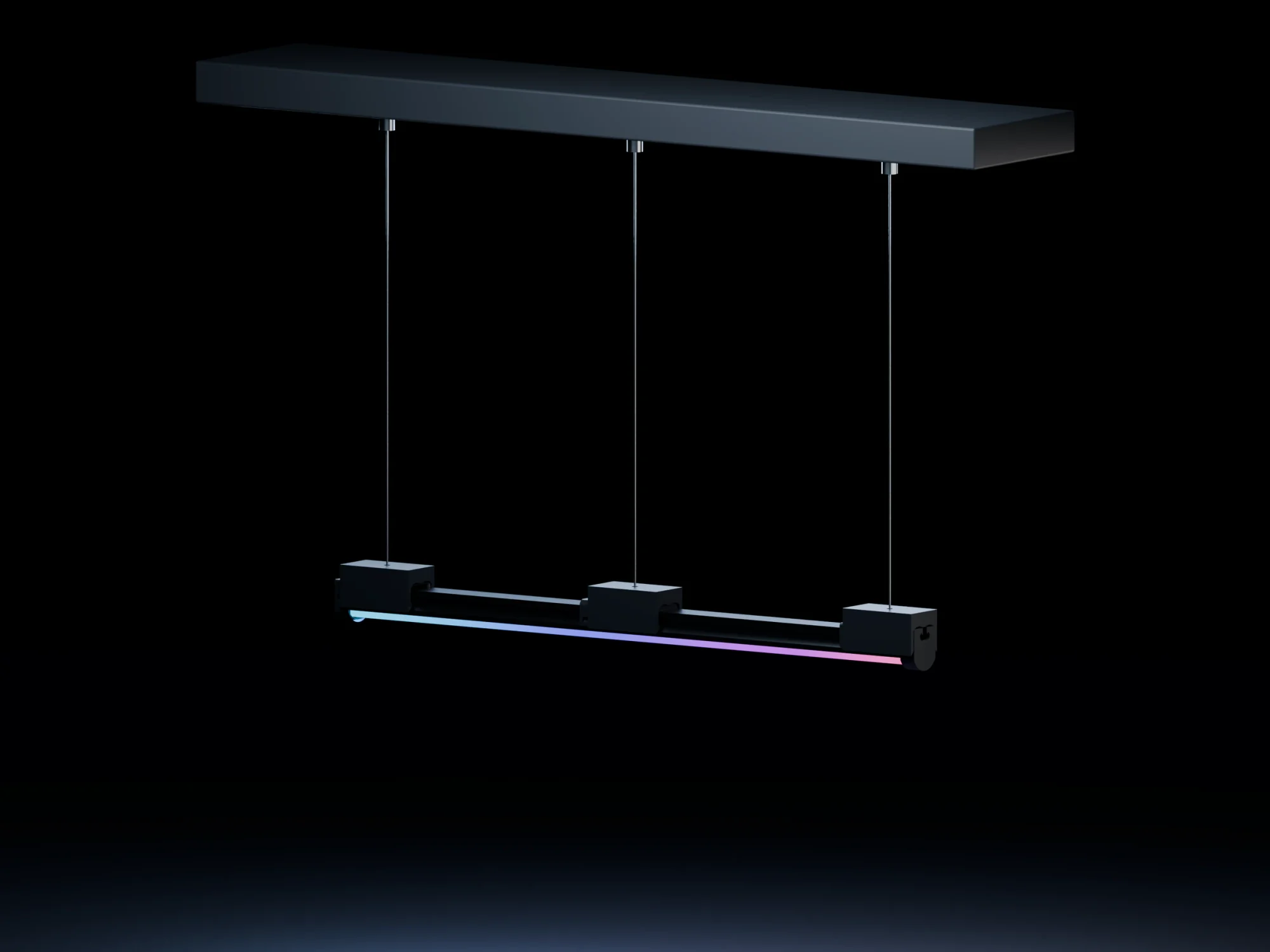
Original Loomx cable suspenders, steel cables and ceiling tensioners
Your original Loomx snap mounting hardware.
  1. Fix the ceiling anchors

    Use the specified anchor points and substrate-rated fixings. Match the anchor positions to the end-cap and mid-span suspension positions on the plan.

  2. Seat the cable hardware

    Run the steel cable through its supplied tensioner. The ball end seats in the cable suspender’s pocket; snapping the bar into the suspender locks the ball in place.

  3. Level and check

    Adjust the tensioners to the scheduled hanging height, then check every snap seat and cable attachment. Lighting leads must have slack and must not carry the bar’s weight.

Connect & start your kit
  1. Keep power unplugged

    Install the supplied computer, kit router or switch, controller nodes and matched power units in the locations marked on your plan. Keep vents clear and equipment accessible.

  2. Connect the network

    Connect the kit computer to the supplied switch. Run each node’s labeled Cat 6 cable back to the switch, matching the node number at both ends. Seat each Ethernet plug until its latch clicks and leave slack at the equipment. Keep the supplied network settings so the computer can find the nodes.

  3. Match each lighting lead

    Connect the labeled node output to the matching shape. Mate each female JST connector with its labeled male JST connector. Follow the light’s input/output arrows and connector labels; do not infer pin order or voltage from connector gender or wire color.

  4. Join bars within the shape

    Follow bar 1 → bar 2 and the remaining numbered links for that shape. Leave the final data output unconnected. A square is a visual loop, not an electrical loop. Keep separate shapes and their power units isolated; any extra power feed must follow the supplied wiring schedule.

  5. Power up & test

    Check that all connectors are fully seated, then connect each matched power unit and turn on the kit computer. Open the preconfigured lighting software and run the labeled fixture test. Confirm every shape and color before playing a full scene. If a shape stays dark, unplug its power before checking its labels and connections.